Private alpha on Mac. Bring your own images, your own tools, your own AI.

Private Mac alpha · Apple silicon

The memory layer
for your characters.

One character becomes hundreds of images across Midjourney, ChatGPT, Figma and whatever agent you use next. Moai is the local workspace that remembers which version you approved, what came from where, and what to hand off.

Files stay on your Mac · No Moai credits · Bring your own AI access

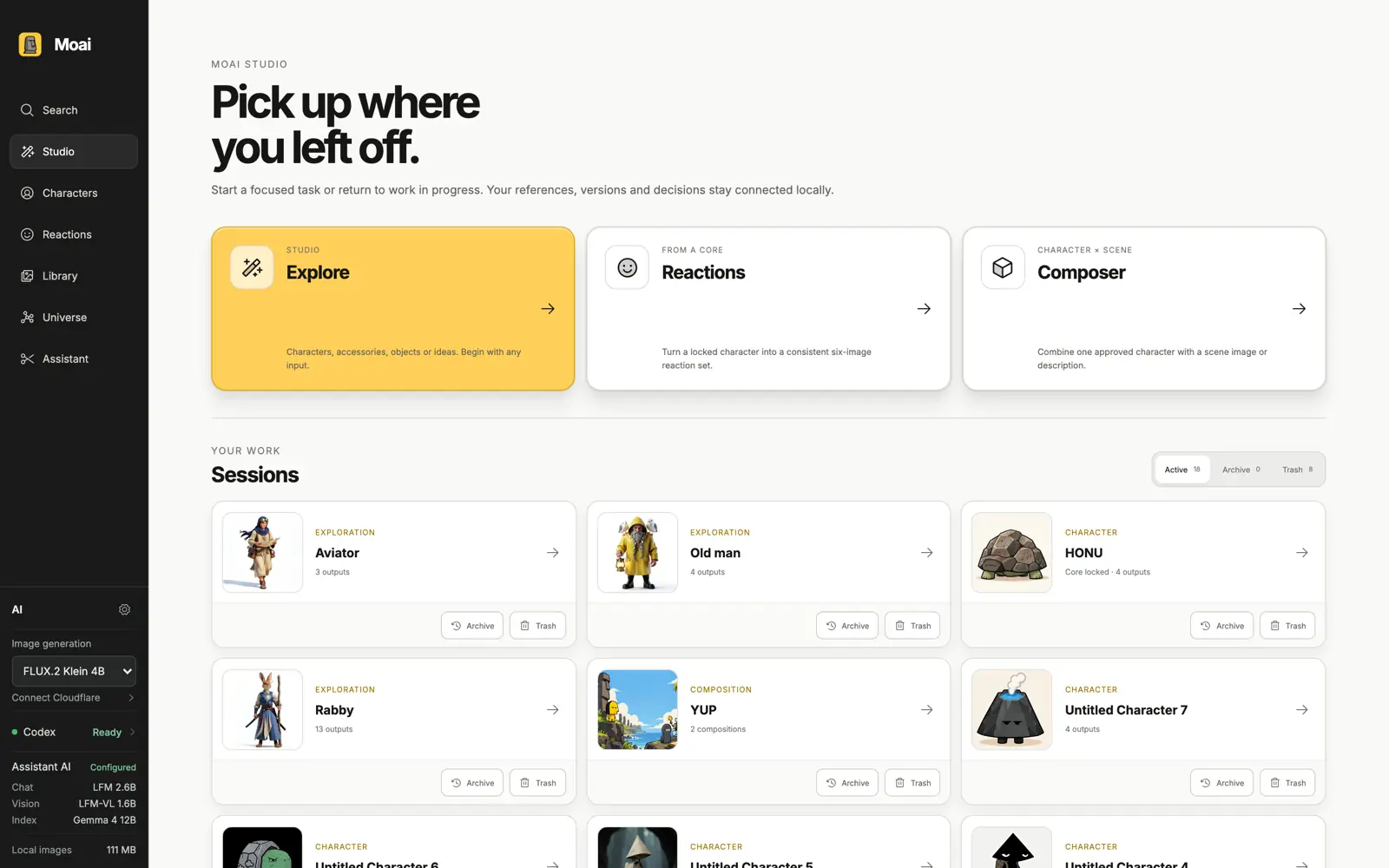
Moai Studio showing resumable sessions for HONU, Rabby, Aviator and YUP

Your character lives in twelve tools.
Your memory of it lives in none of them.

●

Not another final_final_07.png folder.
Three months on, which file was the approved side view? What did the prompt actually say? Which version is downstream work allowed to use?

Bring it in. Approve it.
Find it again. Hand it off.

This is the whole product. Everything below is one loop, and every step keeps the original file, the version, and the reason it was approved.

01

Bring anything in.

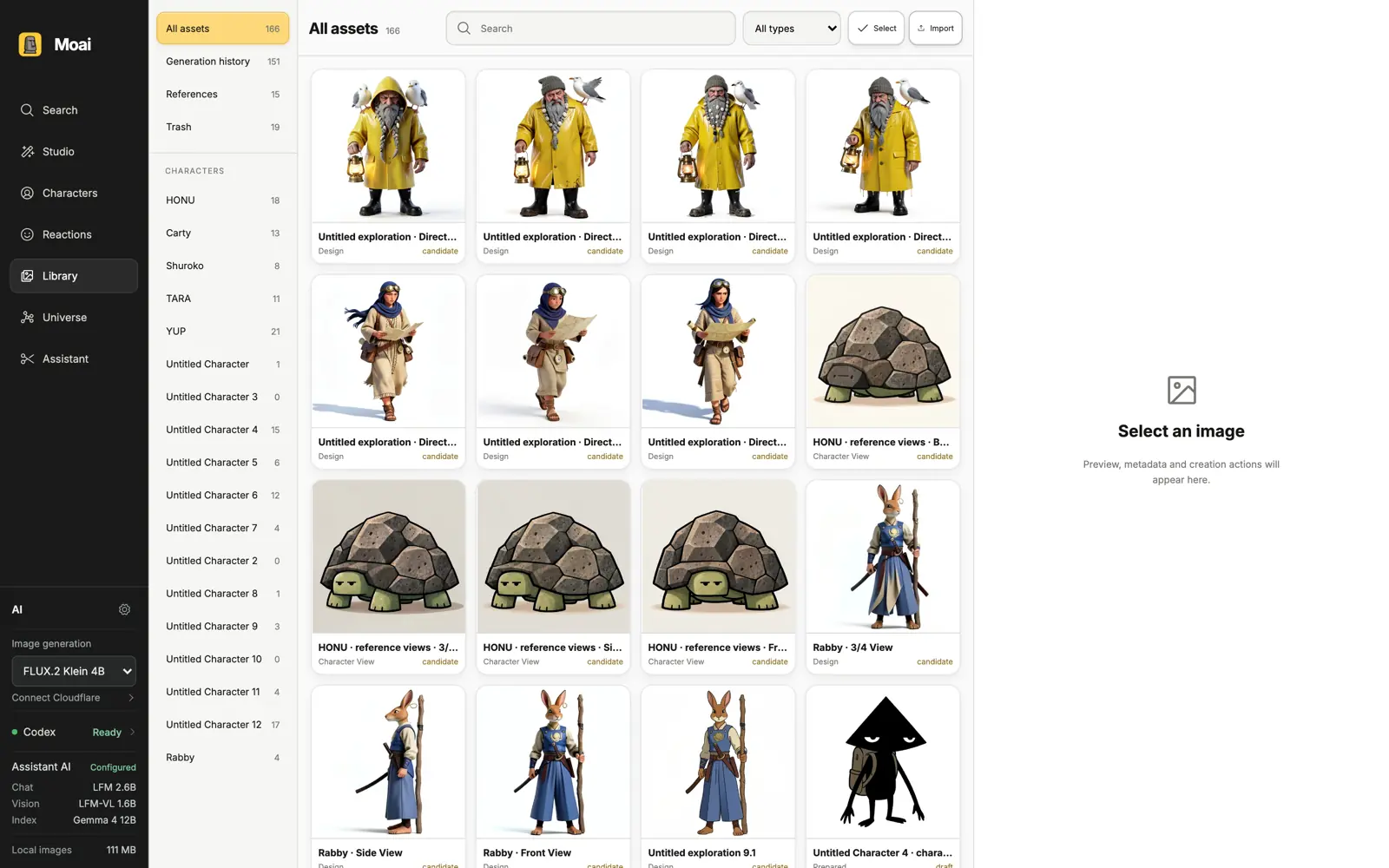
Images from any tool, not just the ones Moai generated. Import, paste or drop them in. Moai records where each file came from, so provenance survives even when the original folder does not.

  • Paste or import
  • Source recorded
  • Original bytes untouched
Moai Library with 166 assets scoped by character, showing generation history and references

02

Approve one Core.

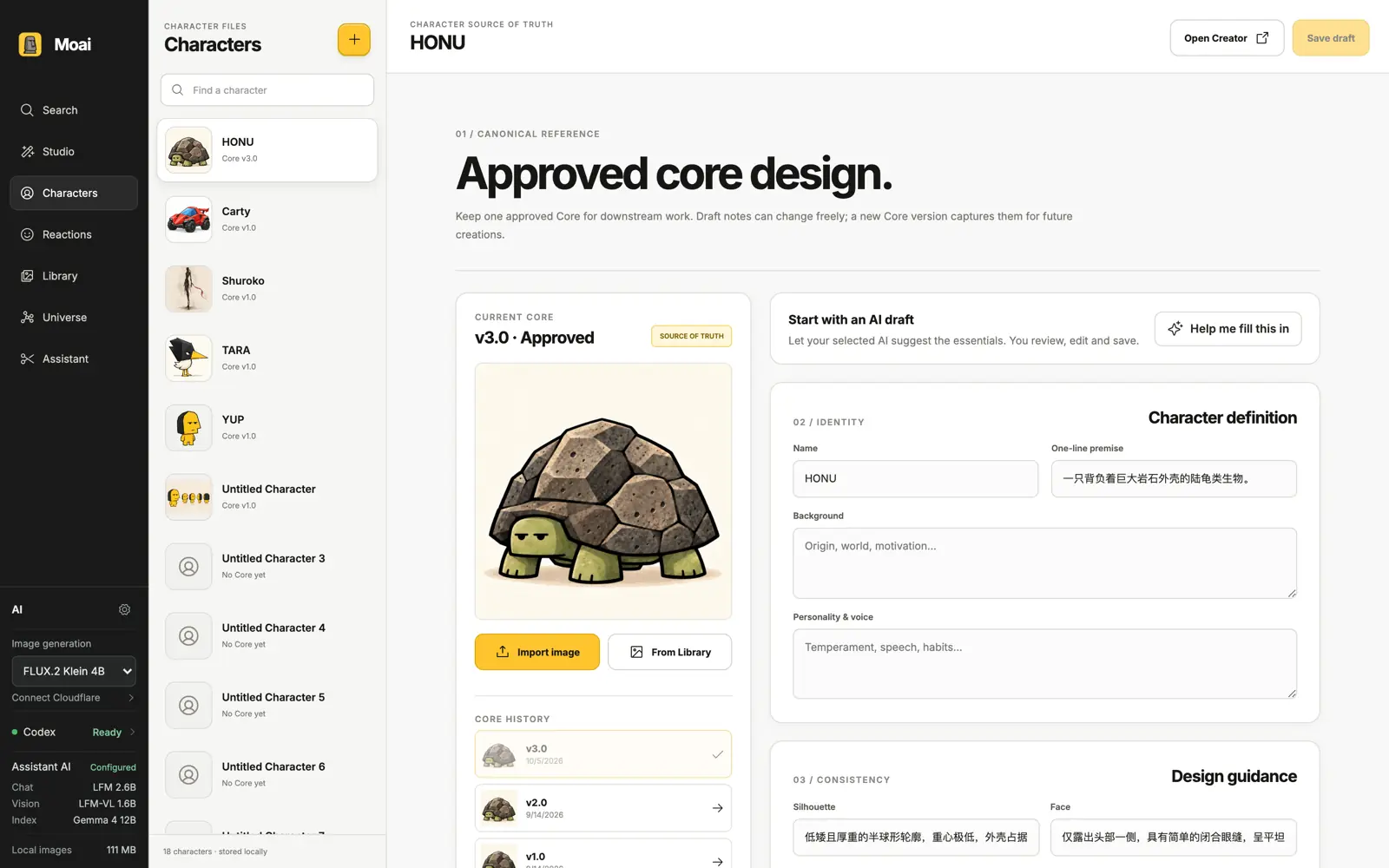
Draft notes change freely. Approving a Core version freezes the identity, the rules and the canonical views that downstream work must follow — and keeps every earlier version readable.

  • Immutable Core versions
  • Identity & consistency rules
  • Approved view sets
  • Full version history
Character Files for HONU showing Core v3.0 approved as source of truth with v2.0 and v1.0 in history

03

Find it without the filename.

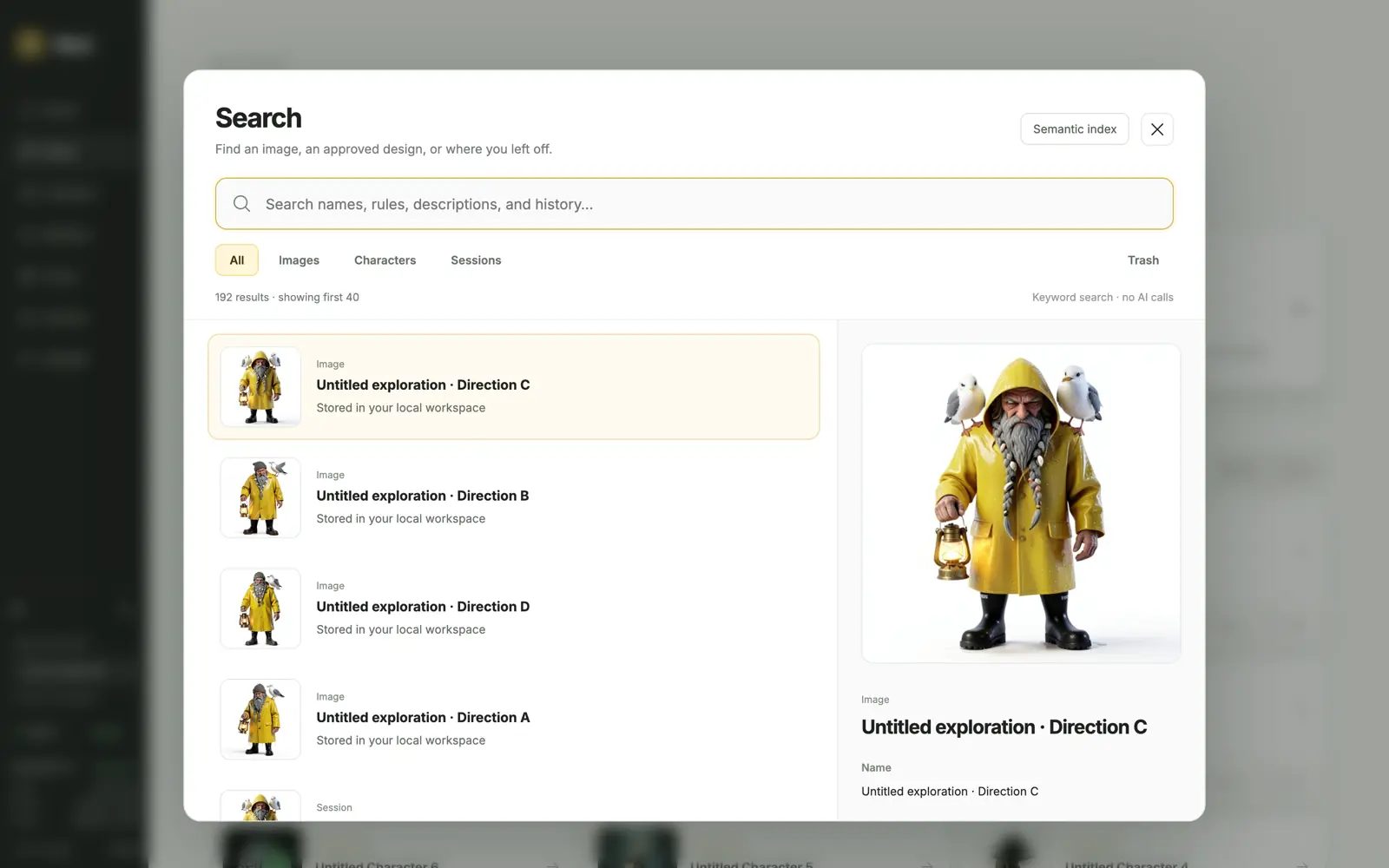
Search names, approved rules, prompts and history. An optional local semantic index runs on your own machine — keyword results come first, and nothing is sent to a cloud model to find your files.

  • Keyword first, always
  • Optional local embeddings
  • Opens the exact version
Moai Search showing 192 results filtered by images, characters and sessions, with a semantic index toggle

04

Hand the exact context off.

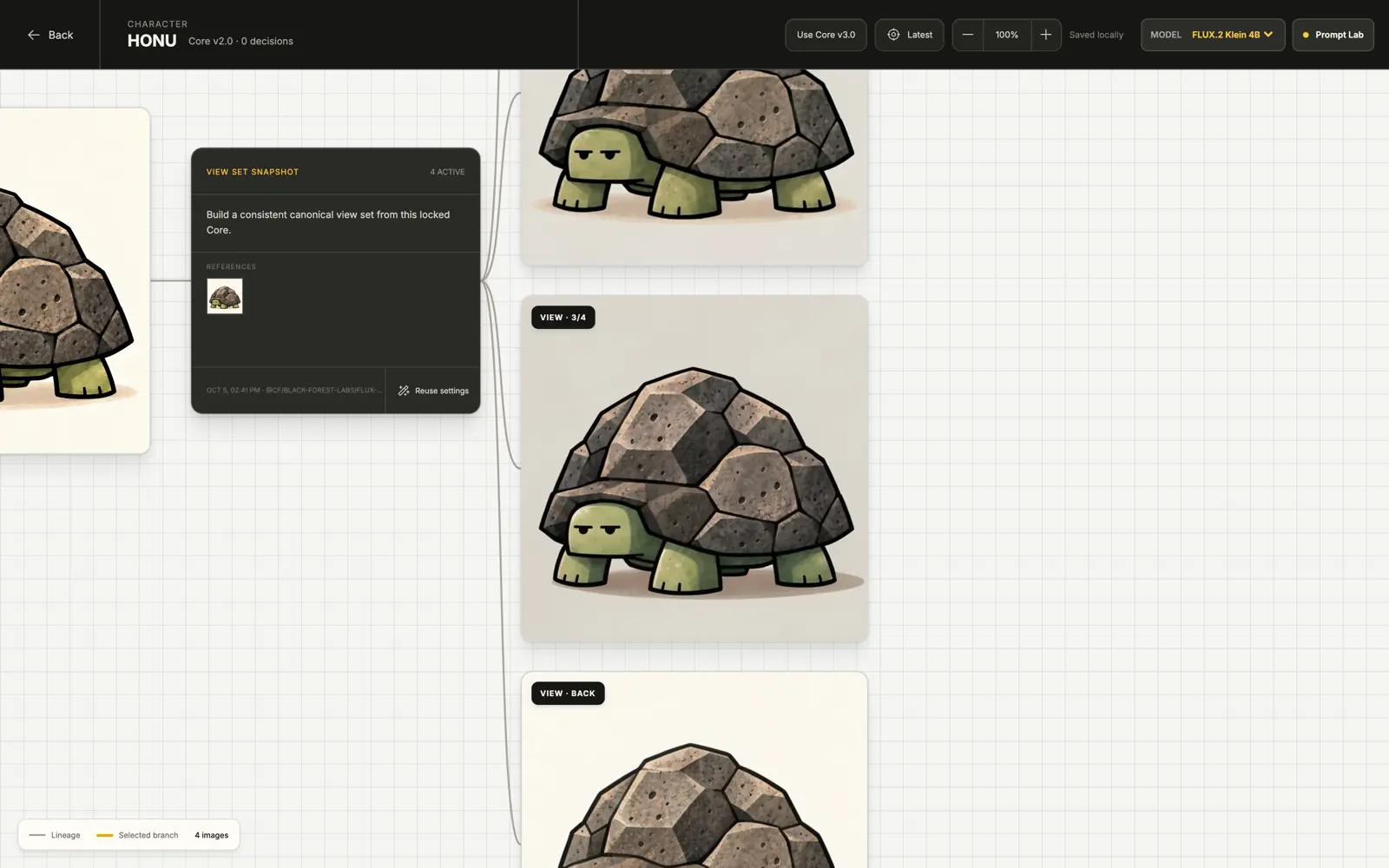
Freeze a context pack from the approved Core — selected images, rules and versions, nothing else. Your agent reads your approved workspace through an explicit, revocable grant, or you take the handoff manually to whichever tool you prefer.

  • Version-pinned context packs
  • Explicit, revocable grants
  • Manual handoff supported
A Moai creation canvas for HONU pinned to Core v2.0 with an option to switch to v3.0, showing lineage, a view-set snapshot and the exact provider and model a run was sent to

05

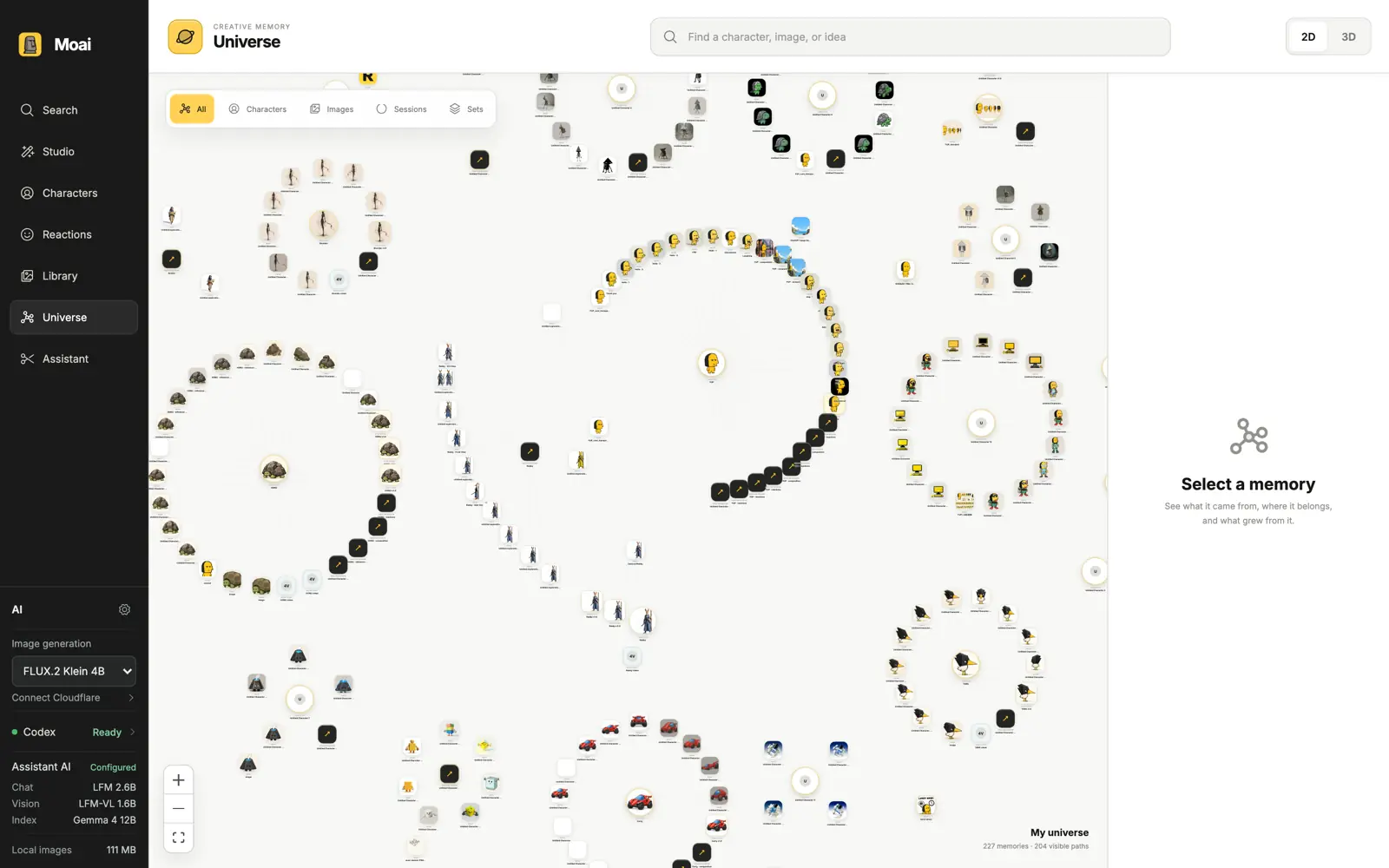
See how it all connects.

Universe maps characters, images and sessions from real provenance — not from guesses. Unrelated characters stay in separate clouds, and nothing is connected because it merely looks similar.

  • 227 memories, real paths
  • 2D and 3D
  • Similarity never invents a link
Moai Universe showing 227 memories as separate clouds with 204 visible relationship paths

What you are actually getting.

Character Files

Creator-approved, not model-guessed

Identity, personality and consistency rules are yours to write and yours to approve. Suggestions from a local model stay candidates until you accept them.

Library

Every asset knows its place

Scoped by character, generation history or reference. Two-stage deletion keeps originals recoverable, and blocked assets are never silently swapped for something else.

Studio

Explore without losing the branch

Generic creation canvas for characters, accessories, objects or ideas. Every run records the exact prompt and references it was sent, so a result can always be explained.

Assistant

Local models, chosen by you

Separate installed roles for chat, vision and indexing. The footer always shows which model is actually running. No silent fallback to a cloud provider.

Image generation

Your provider, your quota

Run generation through your own connected accounts. Moai does not sell credits and does not sit in the middle of your billing.

Offline & private

Browse without a connection

Your library, versions and history are local. Network access is only needed for the specific generation or analysis you ask for.

Your world stays
on your Mac.

Characters, images, prompts and history live in your local Moai workspace.

01

Local library. Files are stored on your Mac, not uploaded to us.

02

Works offline. Browse and organize your whole workspace without a connection.

03

Local model roles. Chat, vision and indexing can run on your own machine.

Moai calls AI for you

Moai starts bounded work using your own connected accounts, and keeps the actual request and response on your Mac.

  • You pick the task and the references
  • Real sent/received evidence is stored
  • Suggestions never approve a Core

An agent reads your approved work

After one explicit, revocable grant, an external agent can read the Core versions you approved — and nothing else.

  • One grant per agent, revocable
  • Drafts and private notes excluded
  • Each task still pins exact versions

Neither direction authorizes the other. Connecting an agent does not let it spend your generation quota, and granting workspace access does not let Moai run arbitrary tools.

Before you
move in.

Where are my images stored? +

On your Mac, inside your local Moai workspace. Moai does not upload your library to our servers. Network access is used only for a generation or analysis you explicitly start, and you can see what was selected before it is sent.

Do I need Codex or any AI account? +

No. You can bring in images, organize them, approve a Core and export context without connecting anything. Generation and analysis are optional, and you choose which account or local model performs them.

Does Moai include image credits? +

No. Moai uses your own accounts and your own local models. There are no Moai credits, and we do not proxy your provider billing.

Can an external AI agent use my characters? +

Yes, but only after you grant it. One explicit, persistent and revocable grant per agent lets it read the Core versions you approved. Drafts, private notes, unapproved images and generation history stay excluded, and any task still has to pin the exact versions it needs.

Can I share a character publicly? +

Not as a public link yet. Today you can export a self-contained character page locally and hand context to another tool or a collaborator through an explicit grant. Public hosting is not part of this alpha.

What happens to my files if I delete something? +

Deleting moves an asset to recoverable Trash first. Permanent deletion always asks for confirmation, and is blocked for locked Cores, approved view-set images and anything an active run depends on. Internal lineage records stay non-restorable so history remains honest.

Will there be a Windows or Linux version? +

Not yet. This alpha is Apple-silicon Mac only, because the local cutout tool uses Apple Vision.

Build with us
early.

We are looking for character designers, illustrators and indie creators who are already using AI tools seriously and losing track of their own work.

Tell us what you are making and we will send you a build when the next group opens.

Free during alpha Apple silicon Local storage No credits required

Alpha is invite-based and not yet publicly downloadable. No spam — only build access and alpha notes.

Making characters with AI tools? Give them a memory that outlives the chat window.

Request access